
Oxbar Vape Troubleshooting: Screen, Vapor & Charging Fixes
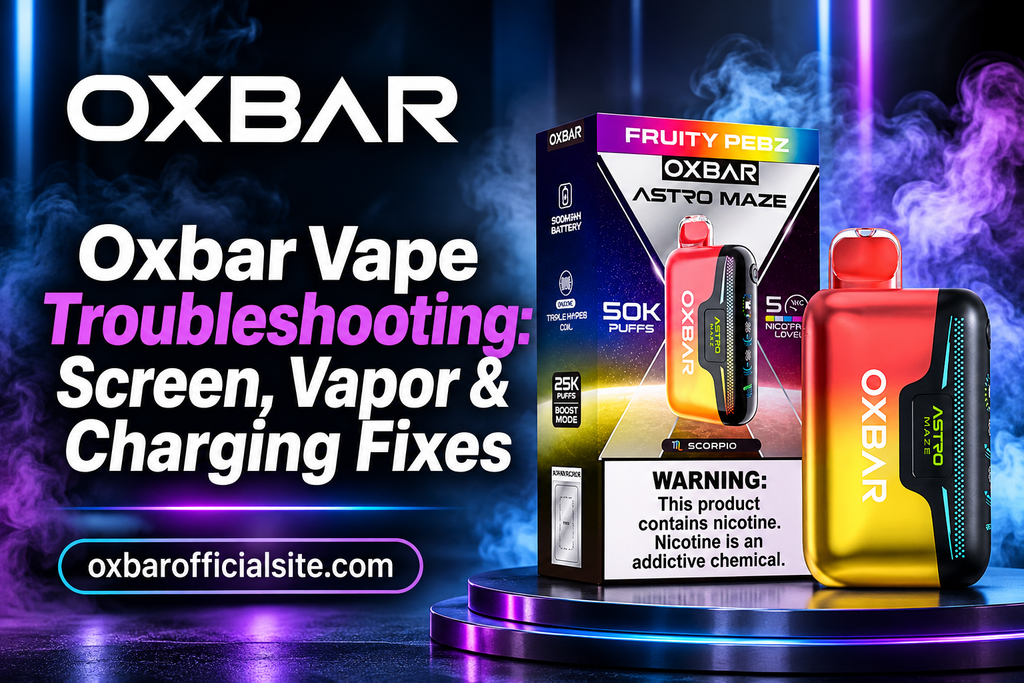
Table of Contents
- Why Screen Glitches Happen on Oxbar Vapes
- Step-by-Step Fixes for a Blank or Flashing Display
- Solving Low Vapor Output and Weak Hits
- Checking Airflow, Coil Saturation, and Power Modes
- Fixing USB-C Charging Problems
- Safe Charging Habits to Protect Your Battery
- Dealing with Auto-Firing and Blocked Sensors
- When It Is Time to Replace Your Device
- Frequently Asked Questions
Oxbar Vape Troubleshooting: Fixing Screen Glitches, Low Vapor, and Charging Issues
Modern disposable vapes pack screens, adjustable power modes, and rechargeable batteries into compact shells. While those extras make vaping easier to monitor, they also create a few more points where small hiccups can happen. Most issues with a screen, vapor output, or charging port come down to minor blockages, low voltage, or residue rather than a broken device.
Before tossing a unit that still has plenty of e-liquid left, running through a few basic checks can save you money and frustration. Whether you picked up your device at a local shop or ordered through Oxbar Official, which is the primary brand hub showcasing the manufacturer’s verified hardware specs and product lineup, almost every common malfunction has a simple fix you can do at home in under two minutes.
Why Screen Glitches Happen on Oxbar Vapes
Digital displays on disposable vapes rely on tiny ribbon connections and small internal sensors. When a screen flickers, freezes on one number, or shows strange color patterns, it usually points to a temporary power dip or moisture buildup near the display housing.
Understanding how your hardware handles display data helps pinpoint the root cause. An Oxbar Disposable Vape, which is a pre-filled, draw-activated vaping device engineered with integrated mesh coils and rechargeable USB-C batteries for single-cycle use, pulls power from the same cell to run both the heating element and the screen. When the battery drops below 15 percent, voltage sags during a draw can cause the display to dim, blink rapidly, or reset its readout until you plug it back in.
Step-by-Step Fixes for a Blank or Flashing Display
If your display stops lighting up when you inhale or keeps flashing an error pattern, work through these quick checks before assuming the internal board has failed:
- Check the battery level first: Plug the device into a power source for 15 minutes; many screens shut off entirely to preserve remaining power when the cell gets too low.
- Wipe away condensation: Use a dry tissue or cotton swab to clean around the display bezel and adjustment button, as pocket lint or e-liquid residue can make buttons stick or register phantom presses.
- Cycle the power or level button: On models with a mode or nicotine-level button, press it once firmly to see if the screen wakes up and shifts settings normally.
- Look for impact damage: If the vape was dropped onto a hard surface, the outer shell may look fine while the internal display cable knocked loose, though the coil may still fire normally.
Solving Low Vapor Output and Weak Hits
Nothing is more frustrating than taking a solid pull and getting a thin, airy wisp of vapor. Weak hits almost always trace back to restricted airflow, low battery voltage, or a setting that got bumped inside your pocket.
High-capacity models have multiple settings that directly change how much vapor they produce. Take the OXBAR Astro Maze 50K Puffs Disposable, which is a large-capacity disposable featuring a 3D curved screen, a 900 mAh rechargeable battery, a UNIONE triple mesh coil, and five adjustable nicotine and power levels ranging from ECO to Boost mode. If your device feels unusually weak, check the screen to make sure you did not accidentally click the button down to Level 1 ECO mode, which lowers wattage to stretch e-liquid life.
Checking Airflow, Coil Saturation, and Power Modes
Beyond power settings, physical airflow and wick saturation control how dense each cloud feels. Look at these three areas whenever vapor production drops:
- Inspect the bottom airflow slider: Pocket fabric often pushes the slider closed; move it halfway or fully open to restore a normal draw.
- Clear the mouthpiece and air intakes: Shine a flashlight into the chimney and bottom air holes, then use a wooden toothpick or dry swab to remove trapped lint.
- Give the wick time to soak: If you take several long hits back-to-back, the cotton cannot absorb e-liquid fast enough, leading to dry, thin puffs until you let the device sit upright for two minutes.
- Top off the battery: Even when a vape is not completely dead, a battery sitting near 20 percent delivers less heat to the mesh coil than a freshly charged one.
Fixing USB-C Charging Problems
When you plug in your vape and the screen stays dark or the charging icon refuses to appear, the issue is usually a dirty port or a mismatched cable rather than a dead battery.
- Clean the USB-C port gently: Pocket lint packs tightly into the bottom of charging ports over time; use a dry, soft-bristled brush or wooden toothpick to clear the debris without bending the center pin.
- Swap your cable and power block: Many modern high-wattage phone chargers use smart power-delivery chips that refuse to send current to small vape batteries, so switch to a standard low-wattage USB-A to USB-C cable.
- Let the device reach room temperature: Built-in safety chips block charging if the vape was just sitting in a hot car or freezing cold weather.
- Test for a loose fit: Wiggle the connector slightly; if the charging indicator flickers on and off, the cable end is worn out and needs replacing.
Safe Charging Habits to Protect Your Battery
How you recharge a disposable vape determines whether the coil lasts until the tank is empty. High-speed wall adapters push too much heat into compact lithium cells, which can thin out the e-liquid inside the tank and cause leaking or premature coil burn.
Stick to low-output power sources like a laptop USB port, a gaming console, or a standard 5V/1A wall adapter. Unplug the device after 30 to 45 minutes rather than leaving it connected overnight, and avoid vaping while the cable is attached unless your specific model explicitly supports pass-through charging.
Dealing with Auto-Firing and Blocked Sensors
Auto-firing happens when the vape continues to heat and hiss for a second or two after you stop inhaling. This occurs when tiny droplets of e-liquid condensation seep down into the airflow sensor beneath the coil.
If you hear the coil sizzling on its own, blow gently through the bottom airflow hole with a tissue held over the mouthpiece to push trapped condensation out of the sensor tube. Storing your vape upright instead of on its side prevents excess liquid from pooling near the pressure switch in the first place.
When It Is Time to Replace Your Device
Troubleshooting works well for electrical hiccups and airflow blockages, but no fix can restore an empty tank or a scorched coil. If your battery charges to 100 percent, the airflow is wide open, and every puff still tastes sharply burnt or completely flat, the internal cotton wick has reached the end of its lifespan.
Once a disposable is truly finished, dispose of it properly at a local battery or e-waste drop-off point rather than regular household trash. When you are ready for a fresh start, you can explore the full lineup of OXBAR VAPE FLAVORS, which are the brand’s pre-filled e-liquid blends spanning fruit, mint, dessert, and beverage profiles formulated specifically for their mesh coil systems, to find a profile that matches your daily routine.
Frequently Asked Questions
Why does my Oxbar vape blink when I try to take a hit?
A blinking screen or indicator light usually means the battery voltage has dropped too low to fire the coil, so plugging it in for 20 minutes normally solves it.
Can I use my fast phone charger on an Oxbar disposable?
It is best to avoid high-wattage fast chargers because they can overheat small vape batteries and scorch the coil; use a standard low-power USB port instead.